
Description
eCheckpoint screens every order against federal, state and local sales laws for firearms, ammunition, magazines, knives and related products. It checks the cart at checkout, checks the order again after it is placed, and records the result on the order.
An active eCheckpoint subscription and API key are required. To get started, visit echeckpoint.com or contact support@echeckpoint.com.
What it does
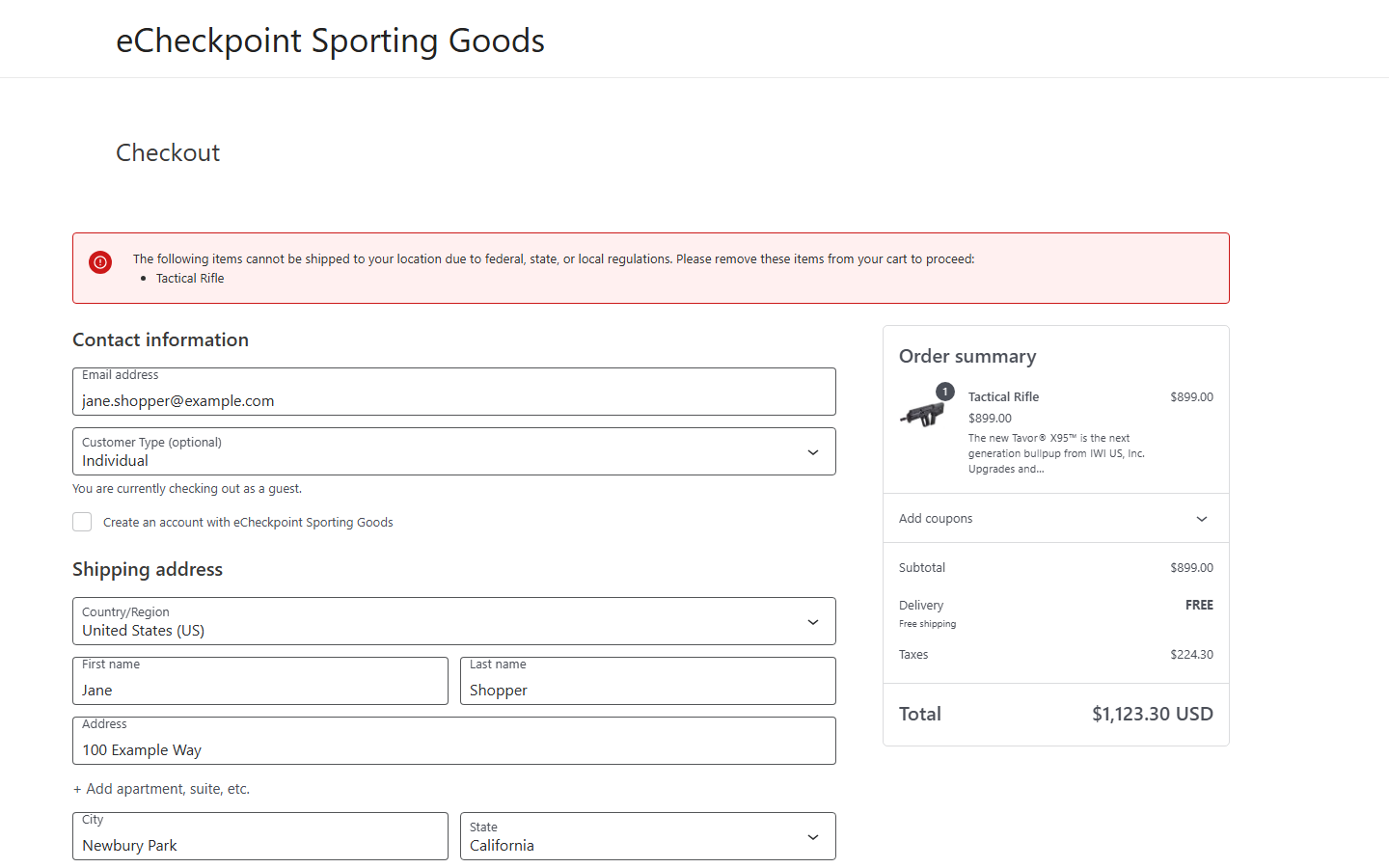
- Pre-Order Checkpoint – Screens the cart at checkout and tells the shopper which products cannot ship to their address, need a licensed dealer, or need additional information after checkout.
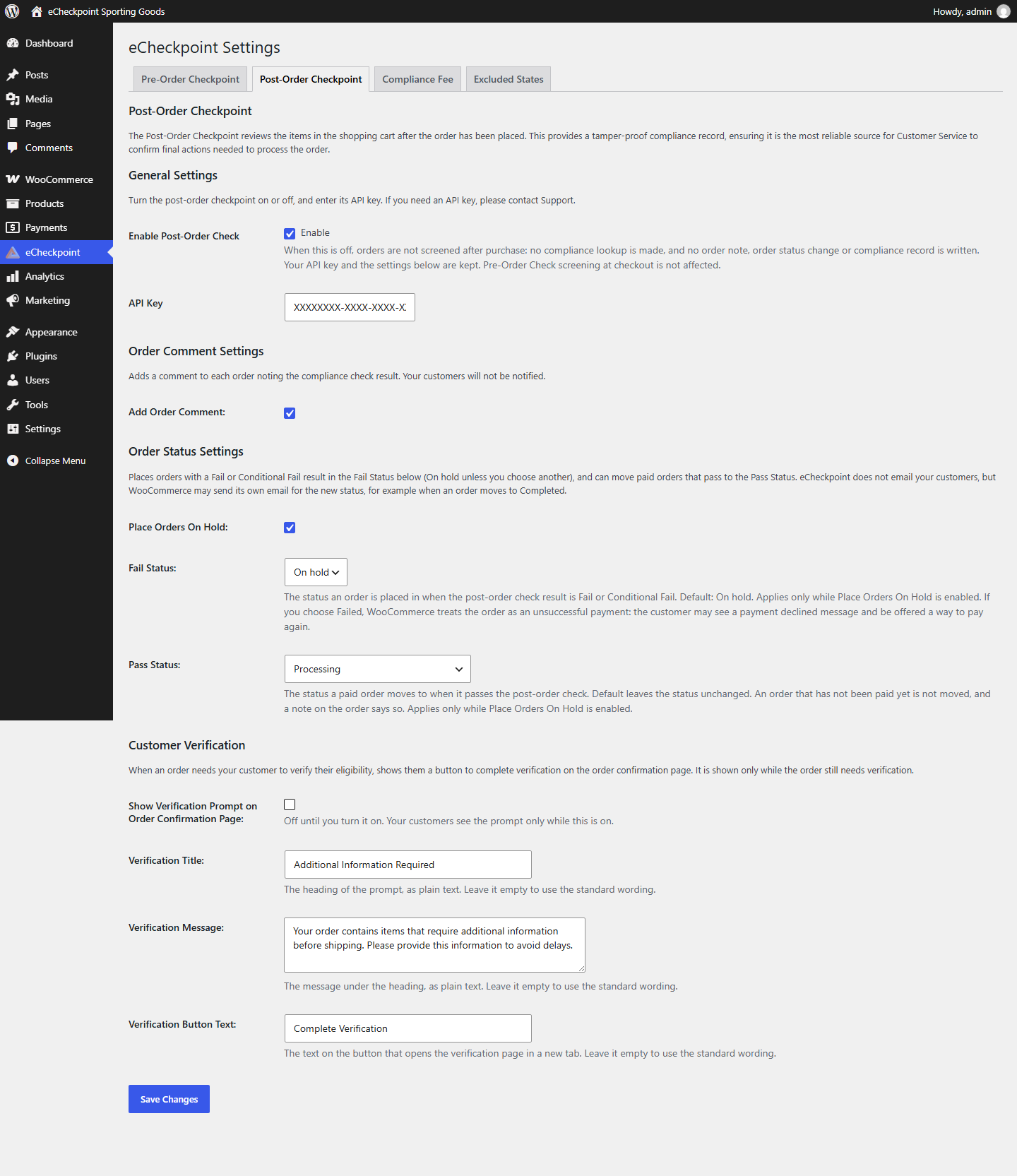
- Post-Order Checkpoint – Screens each order after it is placed, adds the result to the order notes, shows it on the order screen and in the orders list, and can place orders that need review on hold in the status you choose.
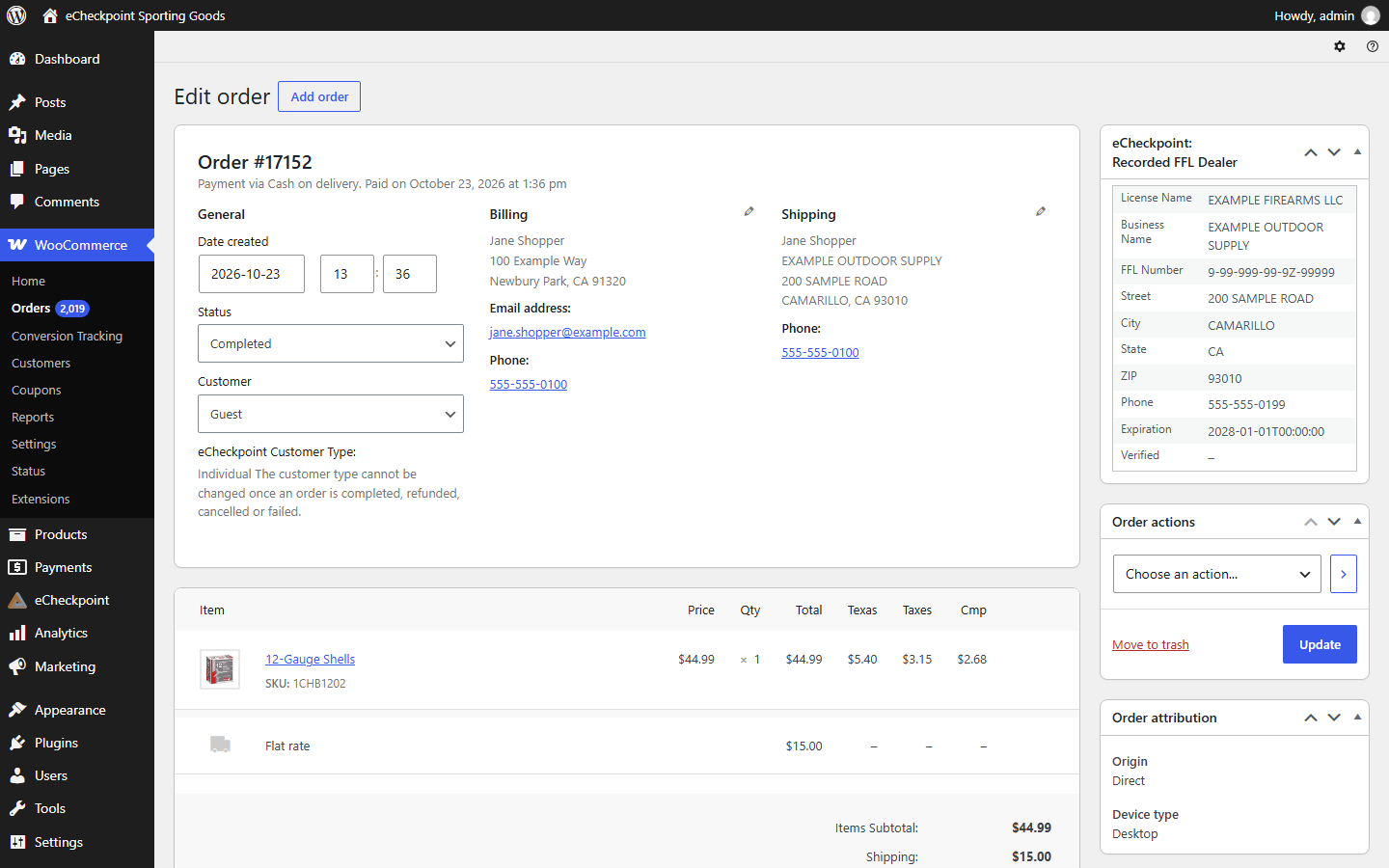
- FFL Dealer Selection – Shoppers choose a licensed dealer from a map at checkout. The dealer becomes the shipping address, and the order screen shows the dealer’s license name, FFL number, premise address, phone and license expiration.
- Customer Type – Shoppers identify as an individual, an authorized retailer, or government, law enforcement or military, and the matching rules apply.
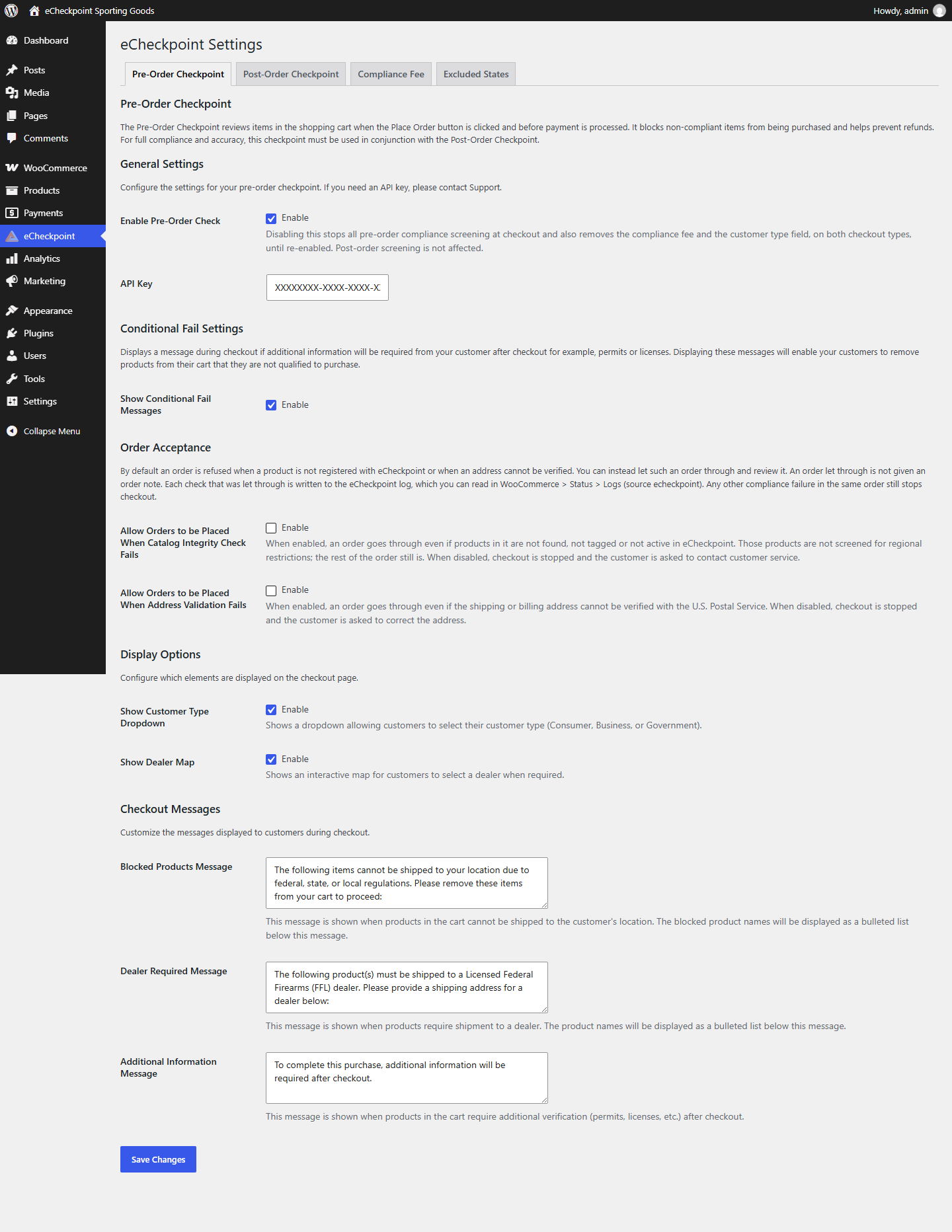
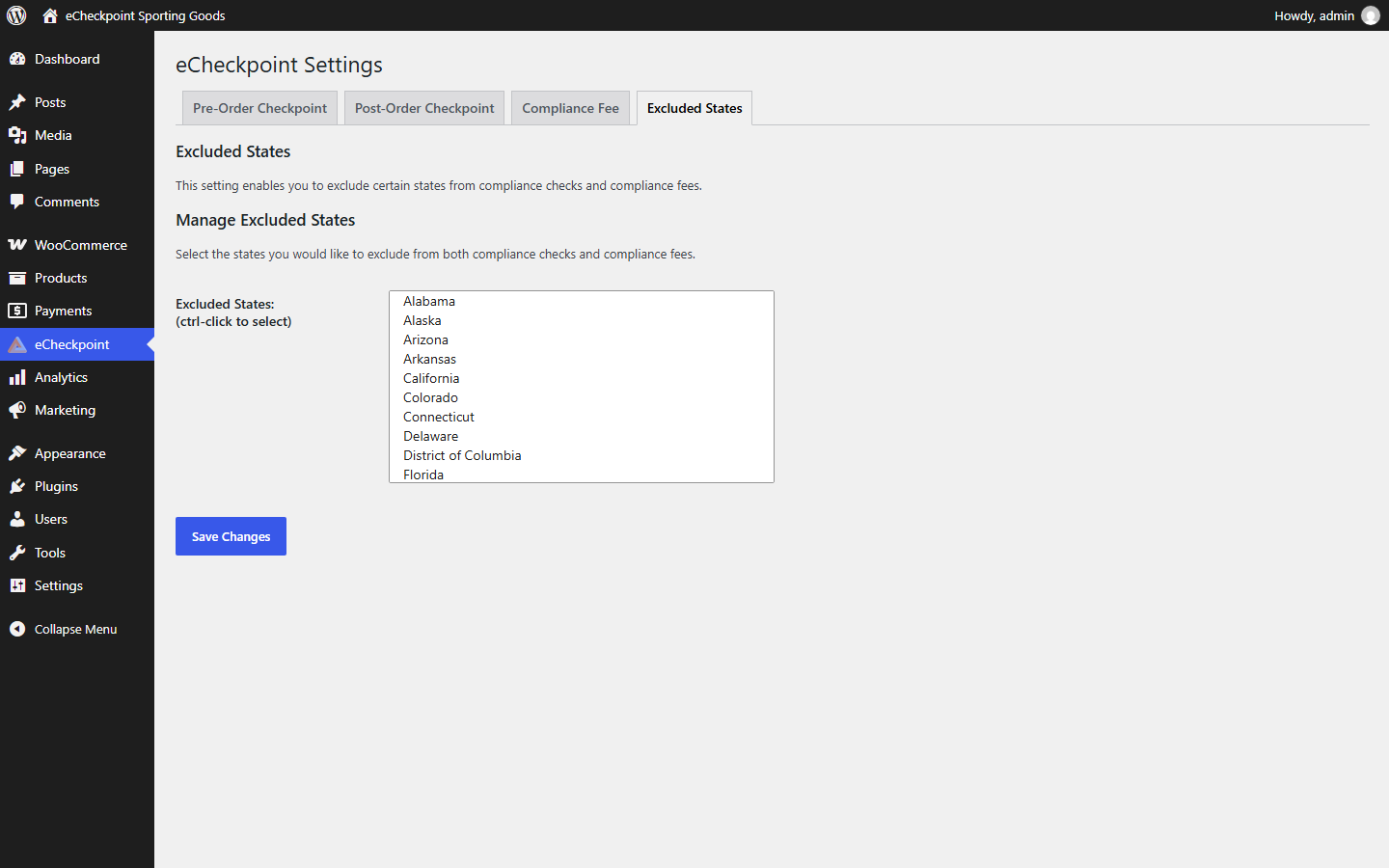
- Excluded States – Choose states your store does not screen.
- Order Acceptance – Optionally let orders through checkout when a product is not registered with eCheckpoint or an address cannot be verified.
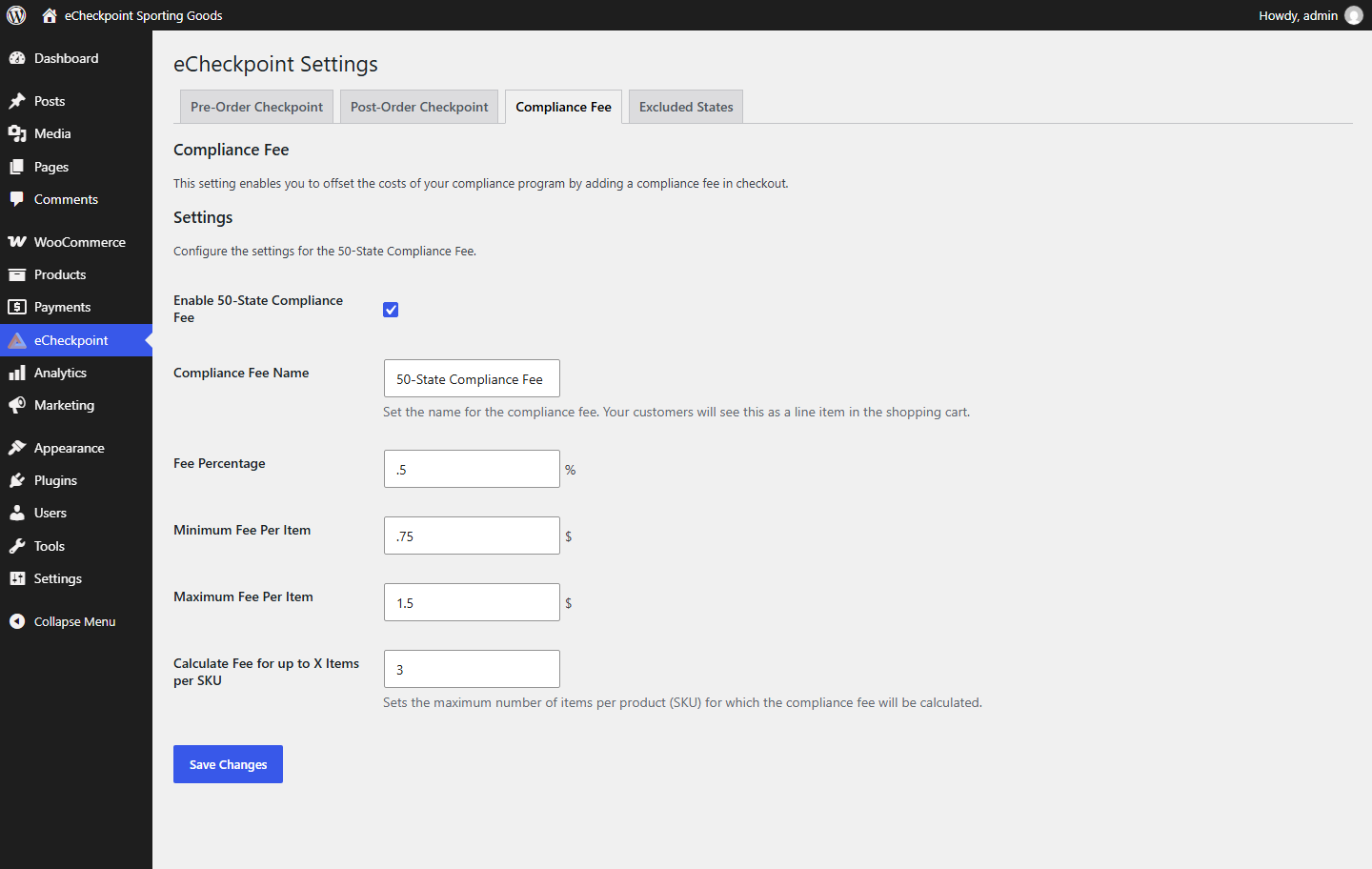
- 50-State Compliance Fee – Optionally add a compliance fee to United States orders, as a percentage with a per-item minimum and maximum.
- Custom Messages – Set the wording shoppers see for blocked products, dealer requirements and additional information.
- Classic and Block Checkout – Works with both the classic (shortcode) checkout and the block-based checkout.
- High-Performance Order Storage – Works with WooCommerce’s High-Performance Order Storage and with posts storage.
Order history, product setup, credential review and reporting are in the eCheckpoint Portal.
Screenshots

Installation
- In your WordPress admin, go to Plugins > Add New Plugin, search for “eCheckpoint”, then install and activate it.
- Open the eCheckpoint menu in your WordPress admin.
- On the Pre-Order Checkpoint and Post-Order Checkpoint tabs, enter your eCheckpoint API key. If you need an API key, contact support@echeckpoint.com.
- Set your Excluded States and Compliance Fee options if you use them.
- Place a test order the way a shopper would.
FAQ
-
What is eCheckpoint?
-
eCheckpoint is a compliance service that helps stores selling regulated products confirm each sale meets federal, state and local laws.
-
Do I need an eCheckpoint account?
-
Yes. The plugin needs an active eCheckpoint subscription and API key.
-
Does it work with the block-based checkout?
-
Yes. It works with both the classic checkout and the block-based checkout.
-
How does FFL dealer selection work?
-
When a product must ship to a Federal Firearms License holder, the shopper picks a nearby dealer from a map at checkout. The dealer’s premise becomes the shipping address, and the dealer’s details are shown on the order screen.
-
Does it screen orders outside the United States?
-
No. eCheckpoint covers United States sales. Orders shipping outside the United States are not screened.
Reviews
There are no reviews for this plugin.
Contributors & Developers
“eCheckpoint” is open source software. The following people have contributed to this plugin.
Contributors

Translate “eCheckpoint” into your language.
Interested in development?
Browse the code, check out the SVN repository, or subscribe to the development log by RSS.
Changelog
3.2.0
- Added the eCheckpoint: Compliance card to the order screen, with a Check Compliance Status button for orders held for compliance.
- Added an eCheckpoint Status column and filter to the orders list.
- Added settings for the order status applied after purchase when an order passes screening or is held for review, while Place Orders On Hold is on.
- Added an Enable Post-Order Check setting, on by default.
- Added Order Acceptance settings to let orders through checkout when a product is not registered or an address cannot be verified. Off by default.
- Added an optional verification prompt on the order confirmation page. Off by default.
- Added a customer type field to the admin order screen, so staff can record the customer type on orders they enter.
- Added support for WooCommerce High-Performance Order Storage.
- Improved dealer selection on the block-based checkout with a Change button for the chosen dealer.
- Improved checkout messages so they come into view, with the affected products listed.
- Tested with WordPress 7.1 and WooCommerce 11.2.
- General improvements and bug fixes to checkout, dealer selection, customer type handling, product matching and after-purchase screening.
3.1.5
- Updated the Enable Pre-Order Check setting to control pre-order screening, the customer type field and the compliance fee together, with a reminder while it is off. Please confirm this setting after updating.
- Tested with WordPress 7.1 and WooCommerce 11.1.
- General improvements and bug fixes to checkout, dealer selection and after-order screening.
3.1.4
- Added the licensed dealer a shopper selects at checkout to the order, shown on the order screen.
- Added confirmation of the selected dealer by license number.
- Improved dealer selection: choosing a dealer sets the shipping address and company to the dealer’s premise.
- Improved the dealer map to list all nearby dealers for the shopper’s ZIP code, so a different dealer can be chosen at any time.
3.1.2
- Improved after-order screening for off-site payment gateways.
3.1.1
- Improved after-order handling of excluded states.
3.1.0
- Improved styling compatibility with other WooCommerce plugins.
3.0.0
- Added custom checkout messages for blocked products, dealer requirements and additional information.
- Improved compliance rechecks when the shipping address changes on the block-based checkout.
2.0.0
- Added block-based checkout support.
1.0.0
- Initial release with pre-order and post-order compliance checks, address validation, regional restrictions and FFL dealer selection.