
Description
H6 Smart Checkout Fields for WooCommerce gives you full control over your checkout page form. Easily edit default WooCommerce fields or add new custom fields to capture the exact information you need from your customers.
It is designed for the Classic WooCommerce Checkout and offers a lightweight, bloat-free experience that integrates natively with your store’s order processing.
Total Control Over Core Fields
Modify the default Billing, Shipping, and Order Note fields without writing code:
– Edit Labels & Placeholders: Make field names clear and relevant to your customers.
– Toggle Visibility: Hide unnecessary fields to streamline checkout.
– Set Requirements: Mark specific fields as required or optional.
– Reorder: Drag and drop fields to arrange them in the perfect order.
Powerful Custom Fields
Add new fields to your checkout form to collect extra data (e.g., VAT numbers, delivery instructions, or “How did you hear about us?”).
Supported field types:
– Text: Single line inputs.
– Textarea: Multi-line text for notes or instructions (preserves line breaks).
– Select: Dropdown menus with custom options.
– Checkbox: Simple Yes/No toggles.
– Email: Validated email inputs.
– Phone: Phone number inputs.
– Number: Numeric inputs.
Flexible Layouts
Create a professional-looking checkout form by controlling the width of your custom fields:
– Full Width: Spans the entire row.
– Left / Right: Places two fields side-by-side (e.g., house number and street name).
Seamless Integration
Data collected from custom fields is fully integrated into your WooCommerce workflow:
– Admin Order View: Custom data appears in the “Billing” column of the order details screen.
– Order Emails: Fields are automatically added to New Order and Order Confirmation emails.
– Thank You Page: Customers see their submitted info on the “Order Received” and “View Order” pages.
– HPOS Compatible: Fully compatible with High-Performance Order Storage (Custom Order Tables).
Screenshots
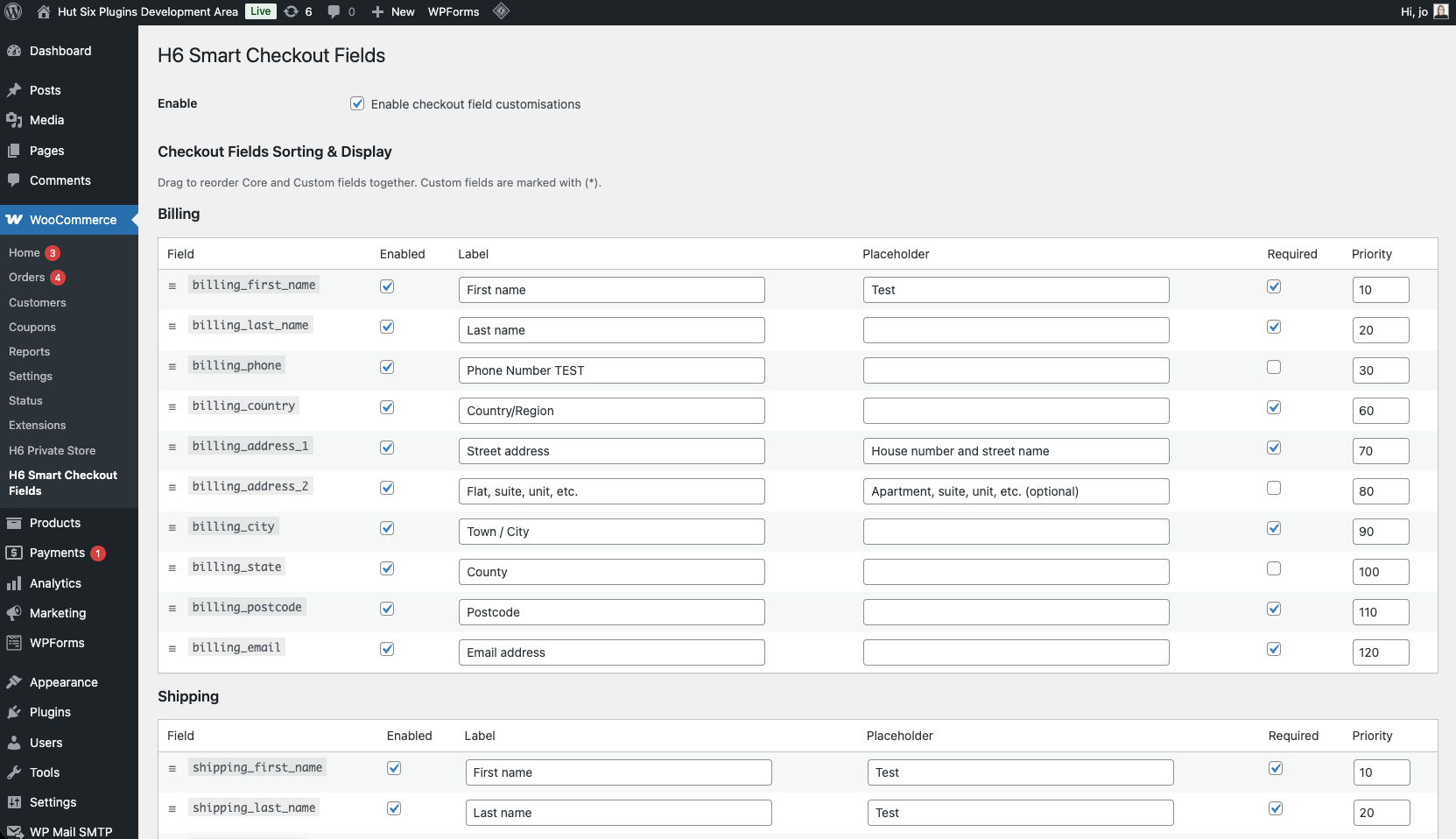
Admin settings page showing drag-and-drop reordering and field editing. 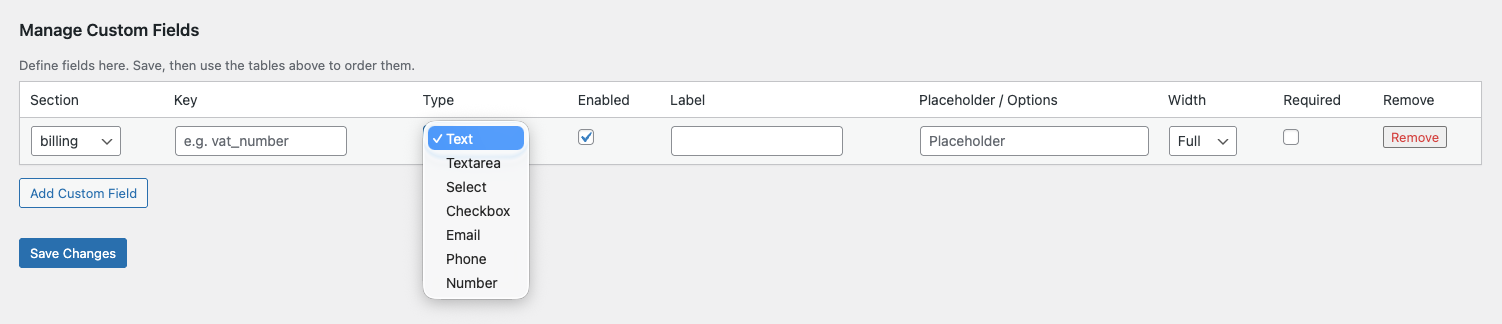
The “Add Custom Field” interface showing available field types and layout options. 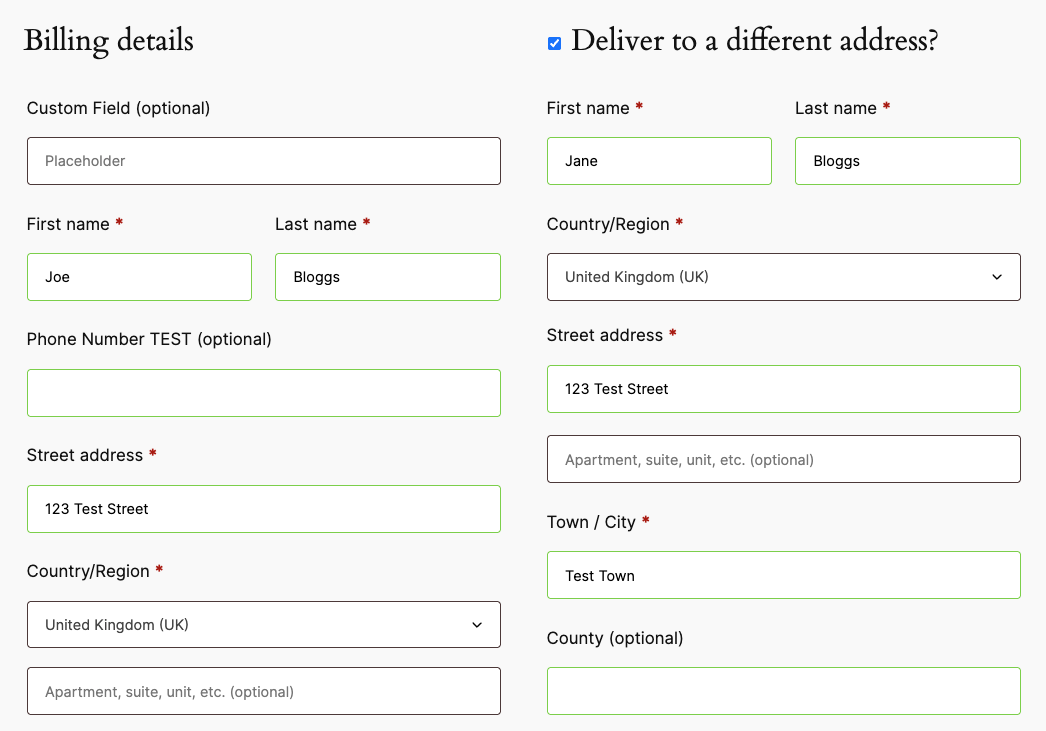
Custom fields displayed on the frontend checkout page. 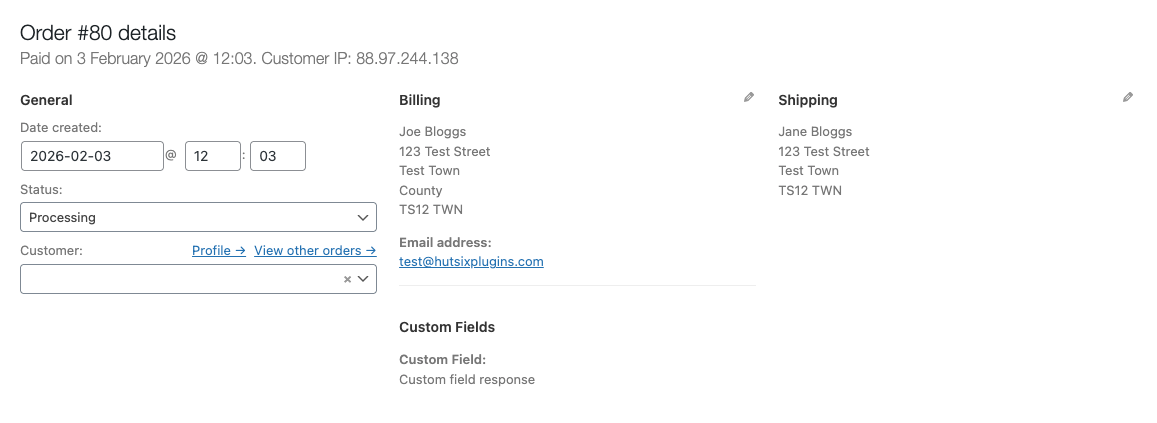
Custom field data appearing in the Admin Order details.
Installation
- Upload the plugin to
/wp-content/plugins/h6-smart-checkout-fields-for-woocommerce/, or install it via the WordPress plugin directory. - Activate the plugin via Plugins.
- Go to WooCommerce H6 Smart Checkout Fields to configure your fields.
FAQ
-
Does this work with the WooCommerce Checkout Block?
-
No. This plugin is designed for the standard (Classic) WooCommerce checkout shortcode. If you are using the Block-based checkout, these customizations will not appear.
-
Where can I see the custom field data?
-
Custom field data is displayed in:
1. The Admin Order Editor (under the Billing Address section).
2. The Order Received (Thank You) page for customers.
3. The Order Emails sent to both the administrator and the customer. -
Can I reorder custom fields alongside core fields?
-
Yes. The settings page provides a unified table where you can drag and drop custom fields among the core billing and shipping fields to define the exact display order.
-
Is this plugin compatible with HPOS?
-
Yes, this plugin declares compatibility with High-Performance Order Storage (HPOS).
Reviews
There are no reviews for this plugin.
Contributors & Developers
“H6 Smart Checkout Fields for WooCommerce” is open source software. The following people have contributed to this plugin.
Contributors
Translate “H6 Smart Checkout Fields for WooCommerce” into your language.
Interested in development?
Browse the code, check out the SVN repository, or subscribe to the development log by RSS.
Changelog
1.0.0
- Initial release.