Description
Tanvir Block adds a set of purpose-built Gutenberg blocks, block extensions, and site-enhancement features to the WordPress editor, all managed from a clean React dashboard in the WordPress admin.
Items marked (Pro) require the Tanvir Block Pro companion plugin.
Free Blocks (13)
- My CTA — Call-to-action block with headline, description, and button.
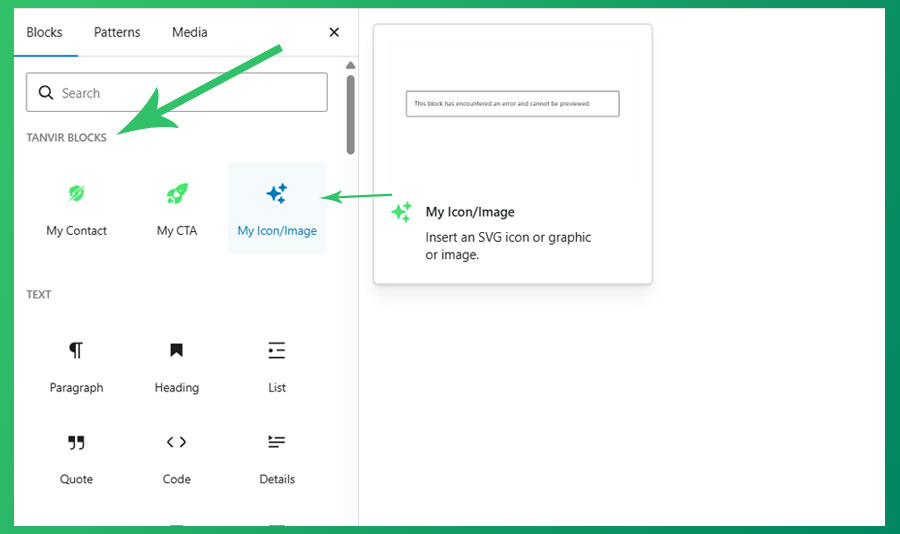
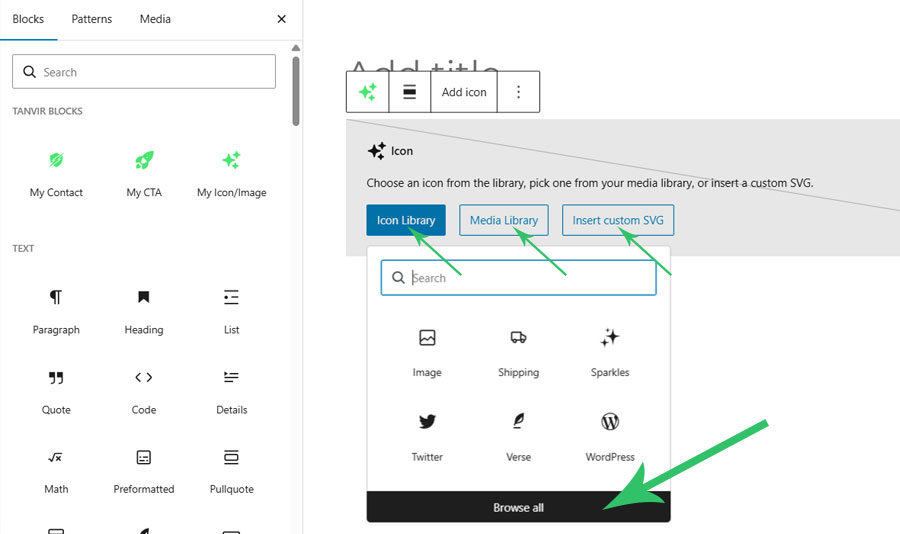
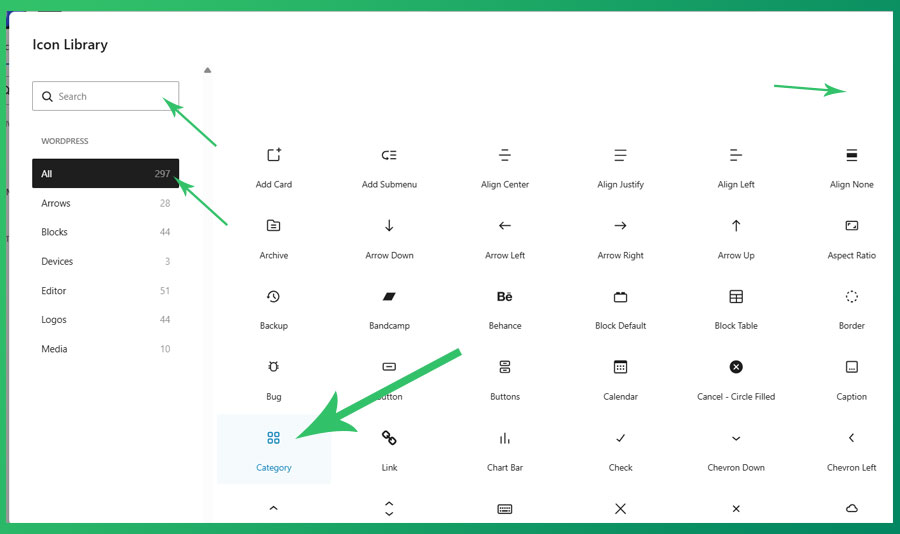
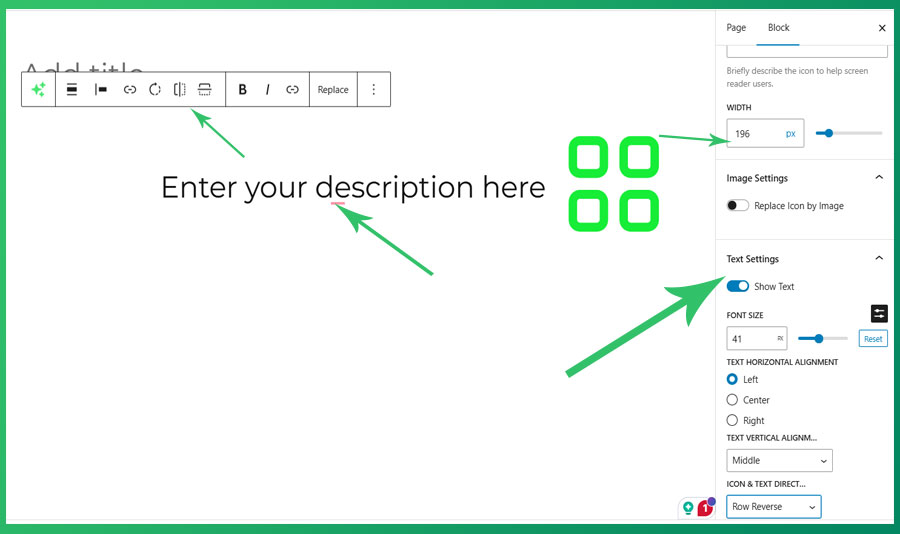
- My Icon / Image — SVG icon or image with title, description, layout controls, flip, rotate, and link.
- My Image Box — Image card with title, description, and responsive font size and spacing.
- My Mega Menu — Full-featured mega menu block using WordPress template parts inside the Navigation block.
- My TOC — Server-rendered in-page table of contents generated from page headings.
- My Heading — Responsive heading block mirroring core Heading with Tanvir responsive controls.
- My Separator — Responsive separator block, extending core Separator with responsive sizing.
- My Group — Responsive group container block, extending core Group with responsive controls.
- My Accordion — Responsive accordion block with collapsible accordion-item inner blocks.
- My Buttons — Responsive buttons wrapper block with button-item inner blocks.
- My Logo Slider — Responsive logo carousel with dual-row infinite scroll and media library image selection.
- My Counter — Animated number counter with prefix/suffix and responsive styling controls.
- My FlipBox — Two-sided flip card with front and back content, revealed on hover or click.
Pro Blocks (8) — require Tanvir Block Pro
- My Contact — Newsletter / contact form block with optional double opt-in and background image.
- My Columns — Responsive columns layout block, extending core Columns with responsive controls.
- My Countdown — Live countdown timer to a target date with responsive styling controls.
- My FlipBook — Realistic page-flip book with multiple pages powered by react-pageflip.
- My Tabs — Tabbed content container with Tab Item inner blocks.
- My Lottie Player — Animated Lottie / JSON file player with loop, speed, and responsive dimension controls.
- My Slider — Responsive content slider powered by Swiper.js, using inner blocks for slides.
- Post Shortcode List — Renders a selected post shortcode (projects, related posts, gallery) with responsive controls.
Extend Blocks (3)
- Button Icons — Adds icon support to the native WordPress Button block.
- Gallery Lightbox — Adds lightbox functionality to the native WordPress Gallery block.
- Navigation Icons — Adds icon support to the native WordPress Navigation & Submenu block.
Extend Support
- SVG & JSON Upload — Enables SVG and JSON file types in the WordPress media library.
- Hide Admin Bar (Pro) — Hides the admin bar on the front end for selected user roles.
- Sticky Header (Pro) — Scroll-aware sticky header with configurable background styles and mobile breakpoint.
- Page Transitions (Pro) — Animated page-to-page transitions using the View Transitions API (13+ animation presets).
Dashboard
- Enable or disable any block or support feature individually from the Blocks tab.
- Disabled blocks are never registered on the server — zero performance overhead.
- Six tabs: Getting Started, Blocks, Settings, Sticky Header, Page Transitions, Upload & Admin Bar.
- All settings saved via AJAX with no page reload required.
Screenshots
Blocks
This plugin provides 18 blocks.
- My TOC A beautiful, interactive in-page navigation menu that creates a table of contents from headings on the page.
- My Group A container block for grouping other blocks with background, spacing, and border controls.
- Layout Importer Upload a WordPress pattern or layout file and instantly insert its blocks into the editor.
- My Separator A customisable horizontal separator / divider line.
- My FlipBox A two-sided flip card with front and back content, revealed on click.
- My Image Box My Image Box is a block scaffolded with Create Block tool.
- My CTA My CTA is Call To Action block scaffolded with Create Block tool.
- My Counter Display a counter number with responsive typography and styling controls.
- My Heading Introduce new my heading to help visitors understand the structure of your content.
- My Icon/Image Insert an SVG icon or graphic or image.
- My Buttons Prompt visitors to take action with a group of button-style links.
- My Logo Slide Introduce new my Logo Slide to help visitors understand the structure of your content.
- My Accordion A collapsible accordion container. Add Accordion Item blocks inside.
- Button Item A single button with a label and link, used inside My Buttons.
- Flipbox Back Back side of a flip card — accepts any block.
- Flipbox Front Front side of a flip card — accepts any block.
- Accordion Item A single collapsible accordion panel with a summary and body content.
- My Mega Menu Add a mega menu to your navigation.
Installation
- Upload the
tanvir-blockfolder to/wp-content/plugins/, or install via Plugins Add New Upload Plugin. - Activate the plugin from the Plugins screen.
- Go to Tanvir Block in the admin sidebar and configure your blocks and settings.
- Open any page or post in the editor. Active blocks appear under the Tanvir Blocks category in the block inserter.
- To unlock pro blocks and features, also install and activate Tanvir Block Pro.
FAQ
-
Can I disable a block I don’t need?
-
Yes. Go to Tanvir Block Blocks and toggle it off. The block will not be registered on the server or loaded in the editor, so it adds no overhead.
-
Which blocks require Tanvir Block Pro?
-
Eight blocks require the Pro plugin: My Contact, My Columns, My Countdown, My FlipBook, My Tabs, My Lottie Player, My Slider, and Post Shortcode List.
-
Where do I set the phone number and WhatsApp link?
-
Go to Tanvir Block Settings. The phone number and email entered there are used across all blocks and shortcodes that display contact information.
-
Does disabling a block break existing pages?
-
Existing content that used the block will show a “block not found” notice in the editor until the block is re-enabled. The front-end HTML is still in the database but will not be styled or scripted.
-
No. My Mega Menu relies on the core Navigation block and WordPress Template Parts, which require a Full Site Editing (FSE) or hybrid theme.
-
Can I have multiple sliders on the same page?
-
Yes. Use the Slider ID field on each slider to give them unique identifiers and prevent conflicts.
-
How do I upload Lottie JSON files?
-
Go to Tanvir Block Upload & Admin Bar and enable JSON uploads. After saving, you can upload .json files via the media library.
-
Can I use My TOC more than once on the same page?
-
No. My TOC does not support multiple instances per page.
-
How do I enable Page Transitions or Sticky Header?
-
These features require Tanvir Block Pro. Once Pro is active, go to Tanvir Block Page Transitions or Tanvir Block Sticky Header, enable the feature, configure the options, and save.
Reviews


Contributors & Developers
“Tanvir Block” is open source software. The following people have contributed to this plugin.
Contributors
Translate “Tanvir Block” into your language.
Interested in development?
Browse the code, check out the SVN repository, or subscribe to the development log by RSS.
Changelog
1.0.6
- Fixed: Responsive work only when
tanvir-block-prois active. - Update: Tanvir Block
- Fixed: Additional css and Create/Edit Navigation link fixed in admin panel.
- Fixed: My Heading font size synk in site editor
- Added: My Typography res control – sync default typography front size like S M L XL XXL from site editor style.
- Added: My TOC Block – Collapsible In-Page TOC and Floating Sidebar TOC.
- Updated: My FlipBox – Block add more res control and style controls for backend and frontend.
- Fixed: My Accordion Block – accordion items removed exter blank space form frontend.
- Updated: My Logo Slider – Block add more res control and style controls for backend and frontend.
- Added: Custom CSS ID support for all blocks.
- Added: My buttons Block add Link Control Option.
- Fixed: My Group Block style not working on front-end.
- Added: “Show Image Only” control option to My Image Box block (hides text content when enabled).
- Added: New controls to My Icon / Image block (icon color, custom margins/padding spacing, border styling, and description typography controls).
- Fixed: Button Icons and Navigation Icons block extensions not working even when Pro is active.
- Fixed: WhatsApp Sticky mobile display issues where the button would not stick on mobile screens.
- Fixed: SVG and JSON File Upload modules now function correctly when Pro is active.
- Fixed: Front-end styling issues with My Group block where the inline style tag was not rendering correctly.
- Fixed: General styling and functional bugs in My CTA block.
- Updated: My Logo Slider block by removing unnecessary typography settings.
- Updated: Dashboard Pricing tab information according to virza.com/price.
- Pro/free split complete — Tanvir Block Pro companion plugin now manages pro block registration and pro features.
- Fixed: Pro block toggles now persist correctly across page reloads.
- Fixed: My Lottie Player and My Slider blocks auto-register when Pro is first activated.
- Fixed: Settings persistence for Sticky Header, Page Transitions, and Hide Admin Bar when Pro is active.
- Fixed: Page Transitions CSS/JS build assets now correctly copied to build directory.
- Fixed: Sticky Header now activates correctly; hook timing and enabled flag fixed.
- Optimization — reduced plugin size.
- Production build via gulpfile.js.
- Added Layout Importer block — upload existing pattern in edit page.
- Download block layout from vir-za.com.
- Added Post Shortcode List block — renders a selected post shortcode (projects, related posts, gallery) with responsive controls.
- Added My Counter block — animated number counter with prefix/suffix and responsive styling.
- Added My Countdown block — live countdown timer to a target date with responsive controls.
- Added My FlipBook block — realistic page-flip book with multiple pages powered by react-pageflip.
- Added My FlipBox block — two-sided flip card with front and back inner blocks.
- Added My Tabs block — tabbed content container with Tab Item inner blocks.
- Added My Separator block — responsive separator extending core Separator.
- Added My Group block — responsive group container extending core Group.
- Added My Columns block — responsive columns layout extending core Columns.
- Added My Accordion block — responsive accordion with collapsible accordion-item inner blocks.
- Added My Buttons block — responsive buttons wrapper with button-item inner blocks.
- Added My Logo Slider block — dual-row infinite-scroll logo carousel with media library image selection.
- Added My Heading block.
- Added Project CPT and Settings toggle.
- Added Hide Specific Devices control for all blocks.
- Added responsive controls for all blocks (height, width, border, color, typography, bg gradient, bg image).
- Added Navigation Icons extend block.
- Added Create/Edit Navigation link under General Settings.
- Added Icons library in Button Icons extend block.
- Fixed Button Icons extend block frontend/backend sync.
- Fixed My Lottie Player block media preview and frontend/backend sync.
- Added My Lottie Player block — animated Lottie/JSON player with loop, speed, and responsive sizing.
- Added My TOC block — server-rendered in-page table of contents with configurable indicator styles.
- Added Sticky Header extend support — scroll-aware sticky header with background and mobile breakpoint options.
- Added Page Transitions extend support — 13+ View Transitions API animation presets with configurable duration and selectors.
- Added SVG & JSON Upload extend support — enable SVG/JSON file types in the media library from the dashboard.
- Added Hide Admin Bar extend support — hide the admin bar per user role.
- Expanded dashboard from 3 to 6 tabs: Getting Started, Blocks, Settings, Sticky Header, Page Transitions, Upload & Admin Bar.
- Added React-powered admin dashboard with Getting Started, Blocks, and Settings tabs.
- Blocks and extend blocks can now be individually enabled or disabled.
- Disabled blocks are not registered on the server.
- Settings saved via AJAX — no page reload required.
- Replaced PHP-form settings page with the new React dashboard.
- Performance improvement: blocks-manifest for faster block type registration (WP 6.7+).
- Added Gallery Lightbox extend block.
0.1.0
- Initial release with My CTA, My Icon/Image, My Image Box, My Mega Menu, My Slider, and Button Icons.